Reader-supported independent guide: When you purchase through links on our site, we may earn an affiliate commission at no extra cost to you. Learn how we test & disclose
Independent Review • Updated November 2026

5 Best AI Headshot Generators for LinkedIn & Corporate Profiles (2026)

Skip $250+ photography studio bookings. We compared the leading AI corporate portrait platforms side-by-side on facial realism, turnaround speed, one-time pricing, and refund fine print—so you pick the right tool on the first try.

✓ One-time pricing (no subscription traps) ✓ Refund fine print verified ✓ Solo & corporate team picks
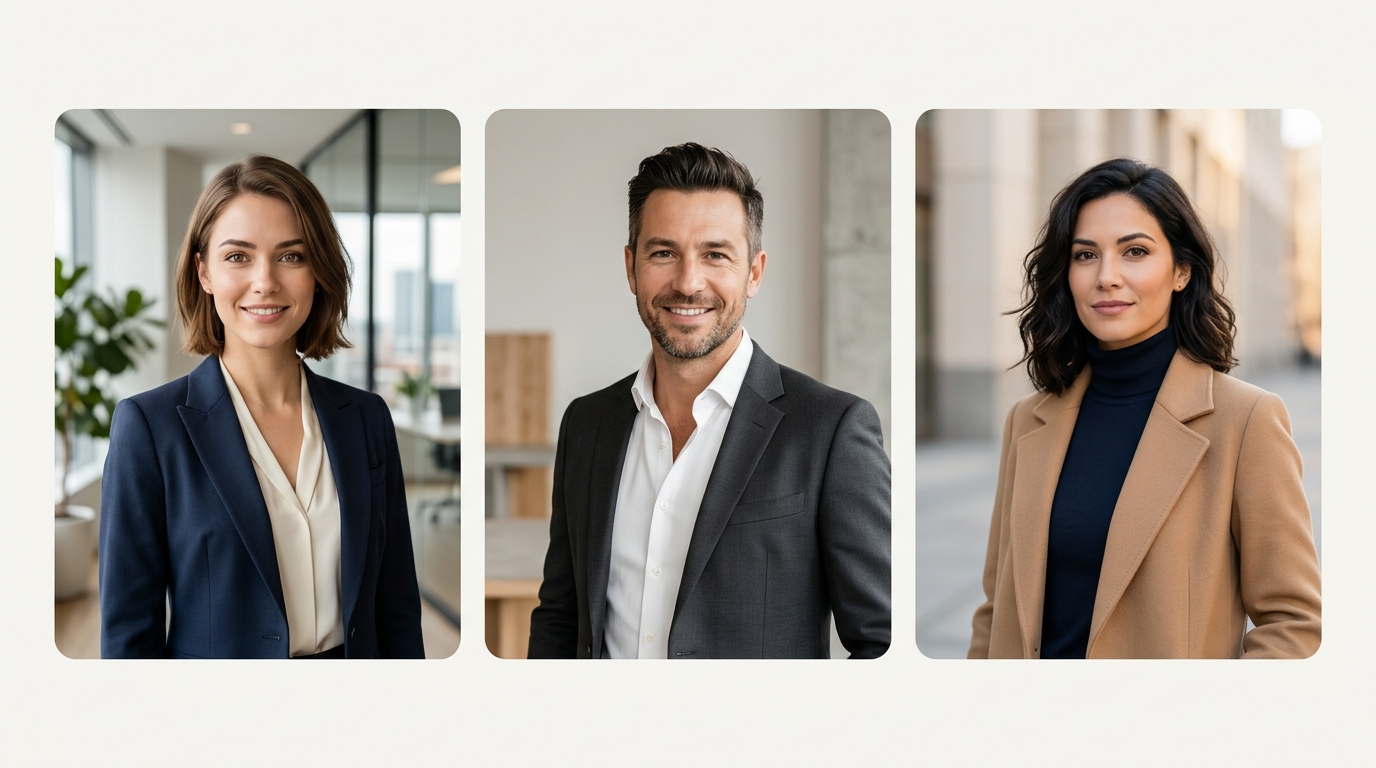
Examples of professional studio-lit corporate portrait styles for LinkedIn and executive profiles
Illustrative studio-grade corporate headshot styles Avg. turnaround: 15 min – 2 hrs

Side-by-Side Comparison of the Top 5 Platforms

Filter by what matters most to your profile—budget, turnaround speed, team rollouts, or refund protection. All plans listed below are one-time payments unless noted.

Platform & Verdict Starting Price Photos / Res Turnaround Refund Window* Score Action
#2 Best 4K & Human Edits BetterPic Ultra-sharp 4K + optional human touch-up $35
Pro $39 / Expert $79
20 – 120 photos
4K resolution
1 – 2 hrs 7-Day Window* 9.4/10 Check Plans →
#3 Fastest Delivery Aragon AI Urgent deadlines & natural lighting $35
Frequent promo discounts
40 – 100 photos
High-res + editor
15 – 45 min 14-Day Refund 9.2/10 Check Deals →
#4 Best Editing Suite Secta Labs Founders, speakers & Remix studio $49
One-time flat package
100+ photos
Includes Remix tools
1 – 2 hrs 100% Guarantee 9.0/10 Explore Secta →
#5 Best Custom Prompts The Multiverse AI High-volume outputs & creative styles $29
Starter tier / credits
100+ photos
Custom prompt option
30 min – 2 hrs Case-by-case 8.7/10 View Plans →

*Important refund note: Across HeadshotPro, BetterPic, and Aragon AI, downloading generated photos typically voids refund eligibility. Always preview your gallery carefully before downloading. Prices verified November 2026 and subject to merchant promotions.

Not Sure Which One to Pick? Use Our 10-Second Matcher

Select your use case, budget, and top priority below to get an instant recommendation tailored to your needs.

1. What are these headshots primarily for?
2. What is your comfortable budget?
3. What matters most to you?
Recommended Match

HeadshotPro

Best all-round realism for LinkedIn, resumes, and corporate teams, backed by the strongest 30-day money-back guarantee (before downloading).

Starting Price From $29
Turnaround 15m – 2 hrs
Visit HeadshotPro Official Site →

In-Depth Reviews: Strengths, Trade-Offs & Fine Print

No AI headshot tool is flawless. Below is our transparent breakdown of what each platform gets right—and the trade-offs you should know before uploading your photos.

#1 Editor's Choice • Best Overall & Corporate Teams

1. HeadshotPro

Consistent, natural corporate lighting with the most transparent 30-day refund guarantee.

9.6 Out of 10
Check Pricing →
Starting Price$29 Basic / $39 Pro / $59 Exec
Deliverables30 – 70+ HD Headshots
Turnaround15 min – 2 hours
Refund Policy30-Day 100% (pre-download)

HeadshotPro remains the benchmark for professionals who simply want believable, boardroom-ready portraits without spending hours tweaking prompts. Its outfit and backdrop presets lean clean and modern—neutral offices, warm natural daylight, crisp dark blazers—making it particularly effective for finance, consulting, tech, and real estate profiles. For companies onboarding distributed staff, its team dashboard standardizes lighting and framing across dozens of remote employees at roughly $19.50–$25 per seat.

What We Like

  • Best balance of facial likeness and realistic skin texture without the overly airbrushed "AI sheen".
  • Clear 30-day self-service Realism Guarantee if you dislike the previews before downloading.
  • Simple one-time payment tiers with zero recurring subscription surprises.
  • Purpose-built team rollout portal for HR and remote companies.

What to Watch Out For

  • Entry $29 Basic tier includes fewer outfit/location combinations than the $39 Professional tier.
  • Downloading even a single image immediately waives refund eligibility.
  • Less geared toward stylized creative or artistic shoots compared to Secta Labs.
#2 Runner-Up • Best 4K Detail & Human Touch-Ups

2. BetterPic

Razor-sharp 4K output with an AI Studio editor and optional human retouching on top tiers.

9.4 Out of 10
Check Plans →
Starting Price$35 Basic / $39 Pro / $79 Expert
Deliverables20 – 120 Photos in 4K
Turnaround1 – 2 hours
Refund Policy7 Days (10% fee if trained)*

BetterPic stands out for image sharpness and post-generation polish. Every tier outputs high-resolution 4K files—helpful if you need portraits for keynote banners, press kits, or printed brochures rather than just a small LinkedIn thumbnail. The $39 Pro plan is the clear sweet spot (jumping from 20 photos on Basic to 60 photos across 3 distinct styles), while the $79 Expert plan adds a real human editor to fix subtle collar, hair, or eye details that pure AI can occasionally miss.

What We Like

  • Genuine 4K resolution suitable for conference bios, author pages, and print media.
  • Strong value jump from Basic ($35 / 20 photos) to Pro ($39 / 60 photos).
  • Built-in AI editing tools plus optional human retouching on the Expert package.

What to Watch Out For

  • Stricter refund fine print: 7-day window, and a 10% non-refundable GPU fee applies once training runs.
  • Basic tier ($35) only gives 1 style—most buyers are far better off paying $4 more for Pro ($39).
#3 Pick • Fastest Turnaround Time

3. Aragon AI

Reliable corporate and smart-casual headshots delivered in as little as 15 to 45 minutes.

9.2 Out of 10
Check Deals →
Starting Price$35 – $75 (promos often lower)
Deliverables40 – 100 High-Res Photos
Turnaround15 – 45 minutes
Refund Policy14-Day Refund / Redo*

If an interviewer or conference organizer asks for a bio photo before the end of the afternoon, Aragon AI is the fastest dependable option on our list. Processing often wraps up in under 45 minutes, and its curated wardrobe presets strike a friendly balance between formal corporate and modern tech smart-casual. It also provides handy quick-edit utilities (blemish cleanup, eye-gaze tweaks, resolution upscaling) right inside the gallery.

What We Like

  • Among the fastest generation speeds tested (typically 15–45 minutes).
  • Approachable, natural lighting that works especially well for tech, startup, and marketing roles.
  • 14-day calendar window for a free redo or refund (provided photos remain undownloaded).

What to Watch Out For

  • Watch checkout options carefully: Aragon offers both one-time packages and monthly plans—select one-time if you only need a single shoot.
  • Downloading any image voids the 14-day refund window.
#4 Pick • Best Remix & Customization Studio

4. Secta Labs

High-volume gallery plus an interactive Remix studio to refine expressions, outfits, and backgrounds.

9.0 Out of 10
Explore Secta →
Starting Price~$49 One-Time Flat
Deliverables100+ Gallery Variations
Turnaround1 – 2 hours
Refund Policy100% Satisfaction Guarantee

Secta Labs costs slightly more upfront (~$49), but earns its price tag through sheer creative control. Rather than handing you a static ZIP folder, Secta unlocks an interactive workspace where you can take a portrait with your favorite facial expression and "remix" it—swapping clothing colors, softening backgrounds, expanding framing for website hero headers, or adjusting lighting tones.

What We Like

  • Industry-leading post-generation Remix suite (recolor, restyle, expand, adjust expression).
  • Large batch of 100+ initial variations in a single flat one-time purchase.
  • Strong satisfaction guarantee backed by responsive live support.

What to Watch Out For

  • Higher entry price (~$49) than HeadshotPro ($29) or Multiverse AI ($29).
  • Sorting through 100+ images and testing Remix options takes more time than a quick 30-photo pack.
#5 Pick • Best Custom Prompt Flexibility

5. The Multiverse AI

Budget-friendly entry point with high photo counts and custom text-prompt styling.

8.7 Out of 10
View Plans →
Starting PriceFrom ~$29
Deliverables100+ Photos + Custom Prompts
Turnaround30 min – 2 hours
Refund PolicyLimited / Check Checkout

The Multiverse AI appeals to users who want more than standard gray-backdrop corporate portraits. Alongside classic LinkedIn shots, it lets you describe custom environments or creative styling via text prompts—useful for architects, creatives, coaches, or speakers looking for an editorial magazine feel at a modest entry price.

What We Like

  • Accessible ~$29 entry tier with generous image volume.
  • Custom text-prompting unlocks creative and niche occupational scenes.
  • Clean, straightforward upload workflow.

What to Watch Out For

  • Less generous refund guarantee compared to HeadshotPro's 30-day policy.
  • Review billing terms carefully at checkout if selecting recurring credit tiers.
ROI Estimator

Studio Shoot vs. AI Headshots Calculator

A typical commercial studio headshot session costs $200–$350 per person (before scheduling and travel). Drag the slider to estimate savings for yourself or your team.

Number of People 1 Person (Individual)

Assumes $250/person traditional studio average vs. $35 solo AI package (or $25/person team tier for 10+ seats).

Traditional Studio Est. $250
AI Headshots Est. $35
Estimated Total Savings $215

How to Get Photorealistic Results: The 6-Rule Upload Checklist

Roughly 80% of poor AI headshots are caused by low-quality input selfies—not the AI model itself. Follow these six rules before uploading to any platform above:

1

Use Daylight, Not Heavy Filters

Stand facing a window for soft natural light. Avoid Instagram/Snapchat filters, harsh overhead shadows, or dim restaurant photos.

2

Vary Angles & Backgrounds

Upload 8–12 photos taken on different days, wearing different tops, with slight head turns (front, 3/4 left, 3/4 right) so the model learns your true 3D structure.

3

Keep Eyes Unobstructed

Skip sunglasses, hats, and heavy bangs covering your eyes. If you wear prescription glasses daily, include mostly glasses-on photos for accurate frames.

4

Solo Shots Only

Never upload cropped group photos where another person's shoulder or face is nearby—this causes weird artifacts in generated portraits.

5

Match Current Hair & Beard

Use recent photos from the last 6 months matching the hairstyle and facial hair you want in your final LinkedIn portrait.

6

Include Natural Smiles

Mix relaxed closed-mouth smiles and light teeth smiles. Avoid exaggerated expressions or mirror selfies where your phone blocks your chin.

Pro Tip on Refund Fine Print: Before clicking "Download" on any generated portrait at HeadshotPro, BetterPic, or Aragon AI, inspect your full preview gallery at 100% zoom. Virtually all AI headshot providers void refund eligibility the moment you download your first high-resolution file.

Frequently Asked Questions

Quick, honest answers to the most common questions about AI corporate headshots.

Yes. LinkedIn permits AI-assisted headshots as long as the portrait genuinely resembles your current appearance and is not misleading. The key is picking a natural, moderately lit result rather than an overly retouched glamour shot—recruiters simply want a crisp, trustworthy photo that looks like you on a Zoom call.
Reputable platforms like HeadshotPro, BetterPic, and Aragon AI automatically delete uploaded training selfies and custom AI models within 7 to 30 days (and also offer instant manual deletion in account settings). Always review each provider's current privacy policy before uploading sensitive images.
Generating realistic, identity-preserving headshots requires renting dedicated cloud GPU clusters to train a private mini-model specifically on your facial geometry. Free apps typically just face-swap onto stock templates, which looks noticeably fake to recruiters and clients. One-time paid services ($29–$49) cover real custom model training.
HeadshotPro and BetterPic handle prescription frames and trimmed beards reliably, provided at least 70% of your uploaded selfies reflect how you currently wear them. BetterPic's Expert tier is also helpful because a human editor can clean up minor lens glare if needed.
Yes. All five paid platforms compared above grant commercial usage rights for LinkedIn, company websites, press bios, book covers, speaking engagements, and business cards upon purchase.